Genesis
Web Page Instructions
Your Genesis web page assignment is to use Microsoft Word (or other
tools like, Dreamweaver, Front Page,
…) to create and publish a simple web page which illustrates the first
part of genesis or a different theme you select. Then upload your page on BUBBS
so it is visible at http://www.bubbs.biola.edu/~yourFistName.middleName.lastName/genesis.htm
where yourFistName.middleName.lastName is
your own name as it appears in the prefix of your BUBBS email address.
Requirements: (i) Include at least 5
pictures in the web page.
Resize or crop them using Photoshop or other tools to make sure your pictures
are not too pig. (ii) Have at least one
hyperlink to some other Internet site on the page[1].
(iii) Change the title[2] to something other
than "Untitled Document" to reflect your theme. Other than that,
it's a pretty open assignment to make sure you can create and edit a simple web
page, and post a web page on BUBBS. Also, the theme can be anything you
want to. It doesn't have to be Genesis, but the filename still has to be genesis.htm.
Steps
for Creating a Simple Web Page
1.
Create a special folder in which to put your web page, perhaps genesis
under your local disk drive such as drive D in the lab. Collect image files
(for example, see the resource section below) you like and store them there.
Examine the pictures to make sure your pictures are not too big. If necessary, resize or crop them
to the right sizes using Photoshop or other tools
2. Use
Microsoft Word (or other tools like Microsoft Front Page, or Macromedia Dreamweaver, …) to create a web page named genesis.htm.
First, provide text contents to describe the theme, and create at least one
hyperlink to some other relevant Internet site. Then insert the images into the
page. If you like to better organize the images, a simple solution is to use a table of multiple rows and columns and
insert the pictures into the cells there.
3.
When you are finished, copy all of the files (the web page and the genesis_files that contains all the image files you inserted into the web page)
to your Web Publishing Folder on BUBBS. See how to how
to publish them on BUBBS as described in the previous lab.
Resources
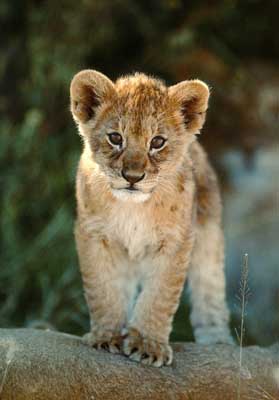
Here are some pictures you may want to use (for example, under
the Firefox browser you can right
click a picture and save it as a picture to your local disk, and later insert
it into your Word document), plus some links, and some text that you may want
to copy and paste. Or you can use pictures you took with your digital camera.
|
|
|
|
|
|
|
|
|
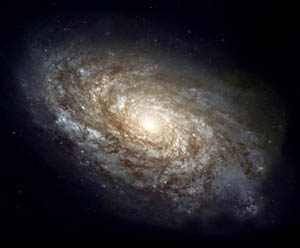
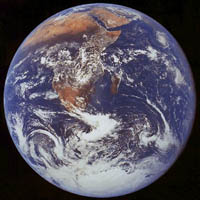
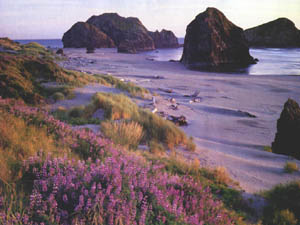
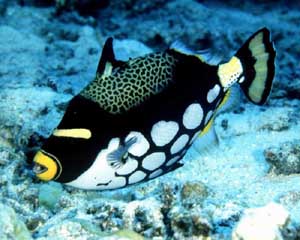

· http://www.1000pictures.com/.
· http://www.natureimages.com/.
· http://nssdc.gsfc.nasa.gov/photo_gallery/photogallery.html.
Also, here is the text of Genesis 1:
Genesis 1 - King James Version
1 In the beginning God created the heaven and
the earth.
2 And the earth was without form, and void; and darkness was upon
the face of the deep. And the Spirit of God moved upon the face of the waters.
3 And God said, Let there be light: and there was light.
4 And God saw the light, that it was good: and God divided the
light from the darkness.
5 And God called the light Day, and the darkness he called Night.
And the evening and the morning were the first
day.
6 And God said, Let there be a firmament in the midst of the
waters, and let it divide the waters from the waters.
7 And God made the firmament, and divided the waters which were
under the firmament from the waters which were above the firmament: and it was
so.
8 And God called the firmament Heaven. And the evening and the
morning were the second day.
9 And God said, Let the waters under the
heaven be gathered together unto one place, and let the dry land appear: and it
was so.
10 And God called the dry land Earth; and the
gathering together of the waters called he Seas: and God saw that it was good.
11 And God said, Let the earth bring forth
grass, the herb yielding seed, and the fruit tree yielding fruit after his
kind, whose seed is in itself, upon the earth: and it was so.
12 And the earth brought forth grass, and herb
yielding seed after his kind, and the tree yielding fruit, whose seed was in
itself, after his kind: and God saw that it was good.
13 And the evening and the morning were the third day.
14 And God said, Let there be lights in the firmament of the heaven to
divide the day from the night; and let them be for signs, and for seasons, and
for days, and years:
15 and let them be for lights in the firmament of the heaven to give
light upon the earth: and it was so.
16 And God made two great lights; the greater
light to rule the day, and the lesser light to rule the night: he made the
stars also.
17 And God set them in the firmament of the
heaven to give light upon the earth,
18 and to rule over the day and over the night, and to divide the light
from the darkness: and God saw that it was good.
19 And the evening and the morning were the fourth day.
20 And God said, Let the waters bring forth
abundantly the moving creature that hath life, and fowl that may fly above the
earth in the open firmament of heaven.
21 And God created great whales, and every living
creature that moveth, which the waters brought forth
abundantly, after their kind, and every winged fowl after his kind: and God saw
that it was good.
22 And God blessed them, saying, Be fruitful,
and multiply, and fill the waters in the seas, and let fowl multiply in the
earth.
23 And the evening and the morning were the fifth day.
24 And God said, Let the earth bring forth the
living creature after his kind, cattle, and creeping thing, and beast of the
earth after his kind: and it was so.
25 And God made the beast of the earth after his
kind, and cattle after their kind, and every thing that creepeth
upon the earth after his kind: and God saw that it was good.
26 And God said, Let us make man in our image,
after our likeness: and let them have dominion over the fish of the sea, and
over the fowl of the air, and over the cattle, and over all the earth, and over
every creeping thing that creepeth upon the earth.
27 So God created man in his own image, in the
image of God created he him; male and female created he them.
28 And God blessed them, and God said unto
them, Be fruitful, and multiply, and replenish the earth, and subdue it: and
have dominion over the fish of the sea, and over the fowl of the air, and over
every living thing that moveth upon the earth.
29 And God said, Behold, I have given you every herb bearing seed, which
is upon the face of all the earth, and every tree, in the which is the fruit of
a tree yielding seed; to you it shall be for meat.
30 And to every beast of the earth, and to every
fowl of the air, and to every thing that creepeth
upon the earth, wherein there is life, I have given every green herb for meat:
and it was so.
31 And God saw every thing that he had made,
and, behold, it was very good. And the evening and the morning were the sixth day.