Here are several ways to add a picture to your web page:
1) Drag the picture from a folder on your hard drive into the top folder
in the Folder List on FrontPage:
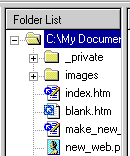
It will then appear in the folder list. From there,
you can drag it anywhere onto the page you're editing.
2) Drag the picture from any existing web page anywhere on
the internet into the top folder in the Folder List, just like above.
3) Drag the picture directly onto your page. FrontPage
will make a temporary link to that picture, then next time you chose to Save
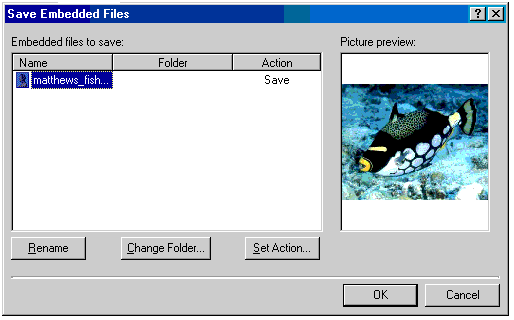
that page, it will ask you if you want to Save the Embedded Files:
You do, so click Okay. FrontPage will chose
filenames for you. You can change the names at this point if you
don't like what it chose.
Once you've used one of the three ways listed above to add a
picture to your page, it should show up in your Folder List. I
recommend putting all your pictures in the same directory as your .htm
files because it will make publishing the page easier later. Once you
learn more about how folders work, it's nice to arrange your pictures in
different directories, but for now, leave them all in one place.
File Names
Because Web Pages might get transferred between several
different operating systems in the whole process, you need to be careful to
choose the names for your web pages and pictures in ways that will work for
all operating systems. I recommend following these rules for naming
files:
File Name Rules:
-
Never use spaces in the filename (Use underscore instead,
like: mount_rushmore.jpg)
-
Don't use special characters (% # = & ^ / \ [ ])
-
Use lowercase
-
It's okay to use minus and underscore, and numbers ( e.g.:
car_photo_45.jpg, my-family.jpg)
-
Name the file well, so you can tell what it is.
The FirstClass web server (BUBBS) is more forgiving than some
web servers, so if your page is going on BUBBS, it's okay to violate some of
the above rules. Specifically, you can use upper case letters, and
square brackets [].
Here's a chart of example filenames: