When you want to work on some web pages you previously created, you need to open up the pages from within FrontPage. If you simply find the folder where you page is save, then double-click on that web page, Windows will open up your page with Internet Explorer (or Netscape), and you will be able to see your page, but not edit it.
Start FrontPage, then do File... Open...
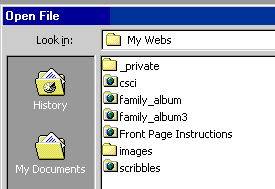
Then choose the web you were working on, and open up one of the files there.
Another way to do this is to choose File... Open Web...
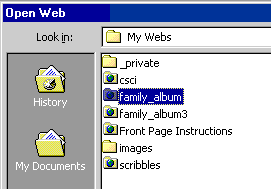
Then click once on the web you want to open to select it, then click Open.
If you have several pages you're working on within the web, you can switch between the pages by double-clicking their names in the Folder List, or by pulling down the Window menu, and choosing from that list. The names of the files in the Window menu have a * next to the pages that have been edited but aren't yet saved.
Next: Adding Pictures